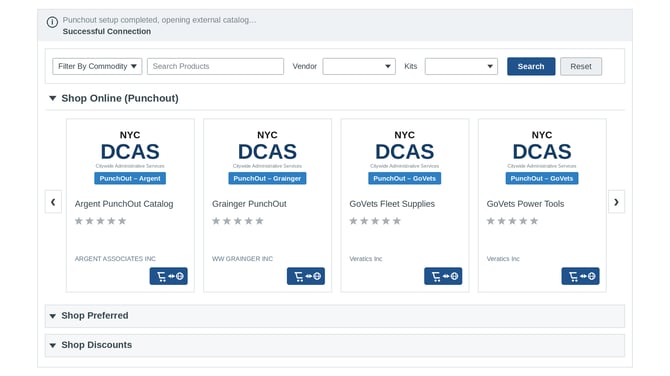
Short answer: There are two GoVets PunchOut buttons in PASSPort, and a quote only goes through the one matching its contract.
Choose the PunchOut that matches your quoteIn PASSPort Shop Online (Punchout), there are two buttons, one per NYC DCAS MRO contract:
- GoVets Fleet Supplies
- GoVets Power Tools
Every emailed quote names its contract. Pull the quote through the PunchOut for that same contract.
If you choose the wrong PunchOutThe wrong PunchOut gives this error:
Requested quote does not exist for current customer.
Use the PunchOut that matches the contract named in your emailed quote.
Need help? Email newyork@govets.com.