Short answer
Each NYC DCAS contract covers specific commodity codes. If an item's commodity code is not on that contract, it will not go through in PASSPort. This is the most common cause of these messages, not a bug.
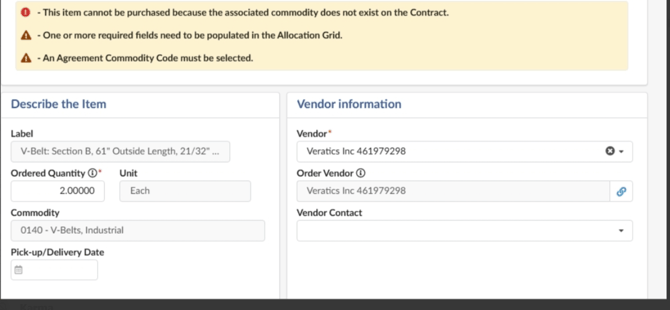
PASSPort shows messages such as:
- “the associated commodity does not exist on the contract”
- “An Agreement Commodity Code must be selected”
Why this happens
GoVets holds two NYC DCAS MRO contracts, Fleet Maintenance and Power Tools, and each contract covers specific commodity codes.
What to do
- Check the contract named on your quote and use the PunchOut for that same contract.
- If the item is not on that contract, ask GoVets to request that it be added to the contract by emailing newyork@govets.com.
Need help? Email newyork@govets.com.